The Pokémon Company, headquartered in Minato-ku, Tokyo, and led by CEO Tsunekazu Ishihara, has announced new details about the Pokémon Pokopia Expansion Pass paid downloadable content (DLC) for Pokémon Pokopia, available on Nintendo Switch 2.
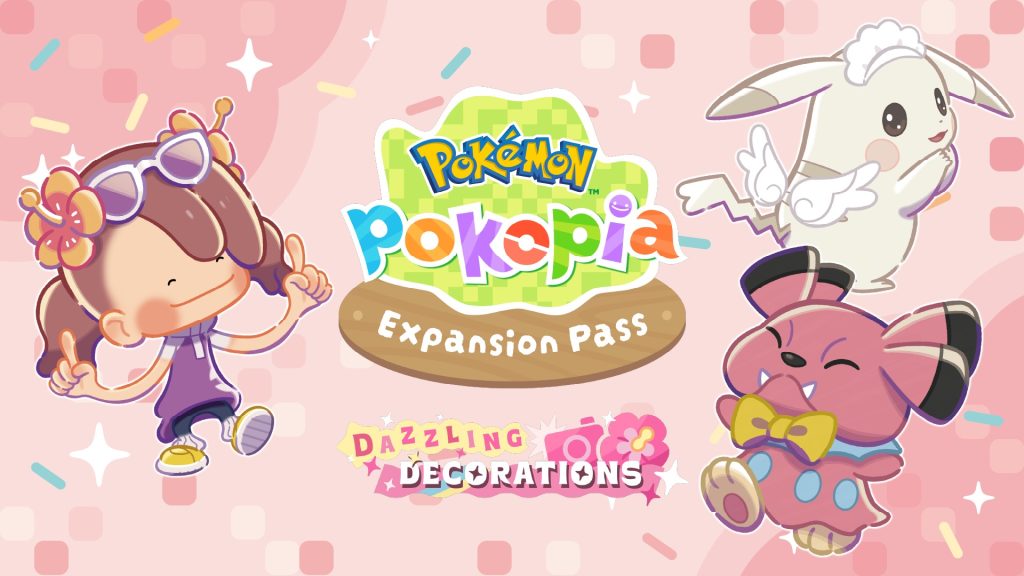
Planned and co-developed by The Pokémon Company, GAME FREAK inc., and KOEI TECMO GAMES, the Expansion Pass will introduce new content across three parts, with Part 2 bringing accessories, additional Pokémon, and more items to the game.
Here are the latest announcements:
- The release date for the paid DLC, Pokémon Pokopia Expansion Pass Part 2: Dazzling Decorations, has been announced.
- Dazzling Decorations introduces wearable accessories, along with more Pokémon to meet and new items.
- The Pokémon Pokopia Expansion Pass, covering Parts 1 through 3, is now available for purchase.
- Players can claim dynamic Ditto print blocks and wallpaper.
- Buyers can receive 30 rare Pokémetal Ingots as a purchase bonus.
- The in-game event “Apples to Applin” begins Monday, November 16.
1. Pokémon Pokopia Expansion Pass Part 2: Dazzling Decorations Arrives December 9
The paid DLC, Pokémon Pokopia Expansion Pass Part 2: Dazzling Decorations, is scheduled for release on Wednesday, December 9, 2026 (UK-GMT).
The Pokémon Pokopia Expansion Pass is already available for purchase and will consist of three content releases: Part 1, Part 2, and Part 3. Players can enjoy the additional content using their existing Pokémon Pokopia save data.
2. Accessories Make Their Debut in Dazzling Decorations, Along with More Pokémon and Items
With the arrival of Dazzling Decorations on Wednesday, December 9, players will be able to dress up their Pokémon with accessories in-game.
The new feature is not limited to Ditto. Other Pokémon appearing in Pokémon Pokopia will also be able to wear accessories, giving players more opportunities to personalize their Pokémon and enjoy dressing up together.
A look at some of the accessories coming to the game
[Insert accessory images]
More furniture and Pokémon are also on the way!
[Insert furniture and Pokémon images]
Alongside the showcased accessories, a variety of additional designs will also be introduced. Players can look forward to future announcements for more details.
Important notes:
- The free ver. 3.0.0 software update must be installed before players can access the Dazzling Decorations paid DLC.
- To begin playing the DLC, players must complete the important requests “Raise the environment level!” and “Rebuild the Pokémon Center!” in Withered Wasteland, as well as Drifloon’s request, “Find a doll!”
3. Pokémon Pokopia Expansion Pass, Featuring Parts 1 Through 3, Now Available
The Pokémon Pokopia Expansion Pass includes three parts, each bringing additional content and new experiences to the game.
Part 1: Bubbly Basin — Now Available!
- A new town, Bubbly Basin, has been added.
- Additional Pokémon, furniture, and more content are included.
Part 2: Dazzling Decorations — Coming December 9, 2026
- Accessories, additional Pokémon, furniture, and more are planned.
- Please note that Part 2 will not introduce a new town.
Part 3 — Coming in 2027
- A new town is planned.
- Additional Pokémon, furniture, and more content will also be introduced.
More details about Part 3 will be announced in the future.
The Expansion Pass Is Available Now
The Pokémon Pokopia Expansion Pass can be purchased through the Nintendo eShop, Nintendo Store, and official Nintendo Store app. Download cards are also available.
Note: The Nintendo Store and download card availability details may vary by market.
4. Claim Dynamic Ditto Print Blocks and Wallpaper
Players who purchase the Pokémon Pokopia Expansion Pass can also claim a special recipe for crafting dynamic Ditto print blocks and wallpaper.
Once claimed, the recipe can be used to craft these decorative items in Pokémon Pokopia.
[Insert dynamic Ditto print blocks and wallpaper images]
How to Claim
After purchasing the Pokémon Pokopia Expansion Pass, follow these steps:
- While in-game, press the + Button to open the main menu, then select Downloadable Content.
- Choose Check Items.
- On the next screen, select Receive.
Additional notes:
- A paid Nintendo Switch Online membership is not required to claim this content.
- Claimed recipes can be checked by using a workbench. Players will need approximately 30 minutes of play time before they can access a workbench.
- The free ver. 1.1.0 software update must be downloaded to receive the dynamic Ditto print recipe.
5. Get 30 Rare Pokémetal Ingots as a Purchase Bonus
Players who purchase the Pokémon Pokopia Expansion Pass on or before Tuesday, August 31, 2027, will receive an email containing a serial code for 30 rare Pokémetal ingots. These items can be used for activities such as crafting.
The offer is also available to players who purchase a download card from a participating store or online shop, or redeem a download code.
Serial code claim period: Until Tuesday, August 31, 2027
Serial code validity: Until Thursday, September 30, 2027
How to Claim
- After purchasing the Expansion Pass, a serial code will be sent to the email address registered to the player’s Nintendo Account.
- The items can be received through the Mystery Gifts feature in the game.
Important notes:
- The 30 rare Pokémetal ingots can also be obtained through normal gameplay.
- A Nintendo Switch 2 system connected to the internet is required to claim this bonus.
- The user profile on the system must be linked to a Nintendo Account to connect to the internet.
- A paid Nintendo Switch Online membership is not required.
- The serial code can only be used once. After redeeming it, the same code cannot be used in another save file.
- Players will need approximately 30 minutes of play time before the Mystery Gifts feature becomes available.
For instructions on receiving Mystery Gifts in Pokémon Pokopia, visit:
6. In-Game Event “Apples to Applin” Begins November 16
About the “Apples to Applin” Event
Applin, the Apple Core Pokémon, is making its way into town!
During the event period, players will have the opportunity to befriend Applin by participating in the special in-game event. Players can also collect Syrupy Apples and exchange them for various rewards, including apple-themed furniture.
By using these special items to create habitats, players can also befriend Flapple, Appletun, Dipplin, and Hydrapple.
Get ready to enjoy the event and create charming apple-themed rooms!
Event period: Monday, November 16, at 5:00 a.m. to Tuesday, December 1, at 4:59 a.m.
How to Start the Event
- Download the ver. 2.0.1 or later software update.
Players can check whether their game is running ver. 2.0.1 or later through the Options tab on the HOME menu. - Complete a town’s important request and rebuild the Pokémon Center.
The event becomes available after completing the important request to rebuild the Pokémon Center. Even if players complete this requirement and rebuild the Pokémon Center on the final day of the event, they can still participate until the event ends. - Set the Nintendo Switch 2 system’s date and time to the actual date and time.
The event will not take place if the system’s date and time are set outside the event period. - Start the game while connected to the internet.
Once the version displayed on the title screen is ver. 2.0.1 or later, the event will begin.
Important notes:
- The event will not take place in Cloud Islands or Bubbly Basin.
- Pokémon befriended during the event will remain in the town even after the event ends.
- An internet connection on the Nintendo Switch 2 is required the first time players participate in the event.
- If players meet the event requirements during the event period, they must either travel to another town and return or select “Save & Quit” from the main menu before reopening the game.
- Players can enjoy the event through Link Play in Palette Town, but spectator mode will not be available.
- To participate through Link Play in Palette Town, players must first speak with Applin and learn about the event before connecting.
Product Information: Pokémon Pokopia
Title: Pokémon Pokopia
Release date: Thursday, March 5, 2026
Platform: Nintendo Switch 2
Genre: Slow-life sandbox
Number of players: 1 (Up to 4 players with local or internet connection)
Connectivity: Local and internet
Available as: Physical version (game-key card) and digital version
Supported languages: Japanese, English, European Spanish, French, German, Italian, Simplified Chinese, Traditional Chinese, and Korean.
Note: Spanish in this game has been localized into European Spanish.
Development and planning: The Pokémon Company, GAME FREAK inc., KOEI TECMO GAMES
Publisher/sales: The Pokémon Company (JP Market Only)
Additional information:
- This title includes modes and features that require an internet connection and a paid Nintendo Switch Online membership.
- To use the physical version (game-key card), players must have an internet connection and at least 10 GB of free storage space. Additional free space may be required for update data.
- The software will be downloaded when the game is first played.
- For more information about game-key cards, visit the official Nintendo website.
Official website:
https://pokopia.pokemon.com/en-us/
Copyright:
©Pokémon/Nintendo/Creatures/GAME FREAK©KOEI TECMO GAMES
Pokémon and Nintendo Switch are trademarks of Nintendo.
Note: When using a screenshot from the game, please include “Screenshots are from a title under development.” near the legal text.
Media Contacts for Product Inquiries/Draft Checking
Pokémon Philippines Public Relations (Vector Group Ltd.)
TEL: +66 2 045 5164
E-MAIL: pokemon_ph@vectorinc.co.jp / benja@vectorgroup.co.th
Product Information: Pokémon Pokopia Expansion Pass
Title: Pokémon Pokopia Expansion Pass
Release date: Wednesday, June 10, 2026
Dynamic Ditto print availability: Wednesday, June 10, 2026
Part 1: Bubbly Basin — Released Wednesday, August 5, 2026
Part 2: Dazzling Decorations — Scheduled for release Wednesday, December 9, 2026
Part 3: Scheduled for release in 2027
Platform: Nintendo Switch 2
Genre: Slow-life sandbox
Number of players: 1 (Up to 4 players with local or internet connection)
Connectivity: Local and internet
Available as: Additional content (downloadable)
Supported languages: Japanese, English, European Spanish, French, German, Italian, Simplified Chinese, Traditional Chinese, and Korean.
Note: Spanish in this game has been localized into European Spanish.
Development and planning: The Pokémon Company, GAME FREAK inc., KOEI TECMO GAMES
Publisher/sales: The Pokémon Company (JP Market Only)
Additional notes:
- The Pokémon Pokopia base game is required to play this content.
- This title includes modes and features that require an internet connection and a paid Nintendo Switch Online membership.
- The free ver. 3.0.0 software update must be installed to play the Bubbly Basin and Dazzling Decorations paid DLC.
- Up to 8.3 GB of free space may be required when downloading and installing the update, including the space needed for the base game software itself.
Official website:
https://pokopia.pokemon.com/en-us/expansion/
Copyright:
©Pokémon/Nintendo/Creatures/GAME FREAK©KOEI TECMO GAMES
Pokémon and Nintendo Switch are trademarks of Nintendo.
Note: When using a screenshot from the game, please include “Screenshots are from a title under development.” near the legal text.
Media Contacts for Product Inquiries/Draft Checking
Pokémon Philippines Public Relations (Vector Group Ltd.)
TEL: +66 2 045 5164
E-MAIL: pokemon_ph@vectorinc.co.jp / benja@vectorgroup.co.th
Pokémon Pokopia Logo Usage Guidelines
Prohibited Actions
Please do not rotate, angle, or alter the logo artwork in any way, including stretching, flipping, or changing its color.
Official game title: Pokémon Pokopia
Hashtag: #PokémonPokopia
Pokémon Pokopia Expansion Pass Logo Usage Guidelines
Prohibited Actions
Please do not rotate, angle, or alter the logo artwork, including stretching, flipping, or changing its color.
Official game title: Pokémon Pokopia Expansion Pass
Shortened title: Expansion Pass
Note: The shortened title may only be used after the full title, Pokémon Pokopia Expansion Pass, has already been mentioned.
General title name: Use “paid DLC” when referring to the content in general.
Example: “The Pokémon Pokopia Expansion Pass paid DLC for Pokémon Pokopia is…”
Hashtag: #PokémonPokopiaExpansionPass
Pokémon Pokopia Expansion Pass Part 1: Bubbly Basin Logo Usage Guidelines
Prohibited Actions
- Do not rotate, angle, or alter the logo artwork, including stretching, flipping, or changing its color.
- Do not use the Bubbly Basin logo on its own. It must always be used together with the Pokémon Pokopia Expansion Pass logo.
How to Use the Game Title
Official title:
Pokémon Pokopia Expansion Pass Part 1: Bubbly Basin
General title name:
Use “paid DLC part 1” when referring to this content in general.
Examples:
- “Bubbly Basin, Part 1 of the Pokémon Pokopia paid DLC, is…”
- “Bubbly Basin, Part 1 of the Pokémon Pokopia Expansion Pass paid DLC, is…”
Shortened title:
Bubbly Basin
Note: The shortened title may only be used after either the official title, Pokémon Pokopia Expansion Pass Part 1: Bubbly Basin, or the general title, Pokémon Pokopia Paid DLC Part 1, has been mentioned and the product details have already been explained.
Additional Notes
- Use the logo version with shadows if the artwork is not clearly visible.
- To clearly indicate the release order of the paid DLC parts, use the logo artwork featuring the “Part 1” numbering.
- Depending on the design and placement, choose the version that provides the best visibility.
Hashtag: #BubblyBasin
Note: The #BubblyBasin hashtag does not always need to be paired with #PokémonPokopiaExpansionPass.
Pokémon Pokopia Expansion Pass Part 2: Dazzling Decorations Logo Usage Guidelines
Prohibited Actions
- Do not rotate, angle, or alter the logo artwork, including stretching, flipping, or changing its color.
- Do not use the Dazzling Decorations logo on its own. It must always be used together with the Pokémon Pokopia Expansion Pass logo.
How to Use the Game Title
Official title:
Pokémon Pokopia Expansion Pass Part 2: Dazzling Decorations
General title name:
Use “paid DLC part 2” when referring to this content in general.
Examples:
- “Dazzling Decorations, Part 2 of the Pokémon Pokopia paid DLC, is…”
- “Dazzling Decorations, Part 2 of the Pokémon Pokopia Expansion Pass paid DLC, is…”
Shortened title:
Dazzling Decorations
Note: The shortened title may only be used after either the official title, Pokémon Pokopia Expansion Pass Part 2: Dazzling Decorations, or the general title, Pokémon Pokopia Paid DLC Part 2, has been mentioned and the product format has already been explained.
Additional Notes
- Use the logo version with shadows if the artwork is not clearly visible.
- To clearly indicate the release order of the paid DLC parts, use the logo artwork featuring the “Part 2” numbering.
- Depending on the design and placement, choose the version that provides the best visibility.
Hashtag: #DazzlingDecorations
Note: The #DazzlingDecorations hashtag does not always need to be paired with #PokémonPokopiaExpansionPass.
Guidelines for Using the Part 1: Bubbly Basin and Part 2: Dazzling Decorations Logos Together
Prohibited Actions
- Do not rotate, angle, or alter the logo artwork, including stretching, flipping, or changing its color.
- Do not use the Bubbly Basin or Dazzling Decorations logos on their own. Both must be used together with the Pokémon Pokopia Expansion Pass logo.
- As a general rule, when using both part logos, make sure they are displayed at the same size.
- Arrange the logos in release order, either from top to bottom or from left to right.
How to Use the Game Titles
Official titles:
- Pokémon Pokopia Expansion Pass Part 1: Bubbly Basin
- Pokémon Pokopia Expansion Pass Part 2: Dazzling Decorations
General titles:
Use “paid DLC part 1” and “paid DLC part 2” when referring to the respective content in general.
Example:
“Dazzling Decorations, Part 2 of the Pokémon Pokopia paid DLC, is…”
Shortened titles:
- Bubbly Basin
- Dazzling Decorations
Note: The shortened titles may only be used after the official titles have been mentioned and the product format has already been explained.
Additional Notes
- Use the logo versions with shadows if the artwork is not clearly visible.
- To clearly indicate the release order of the paid DLC parts, use the logo artwork with the numbering included.
- Depending on the design and placement, choose the versions that provide the best visibility.
Hashtags (in release order):
#BubblyBasin #DazzlingDecorations
Note: These hashtags do not always need to be paired with #PokémonPokopiaExpansionPass.